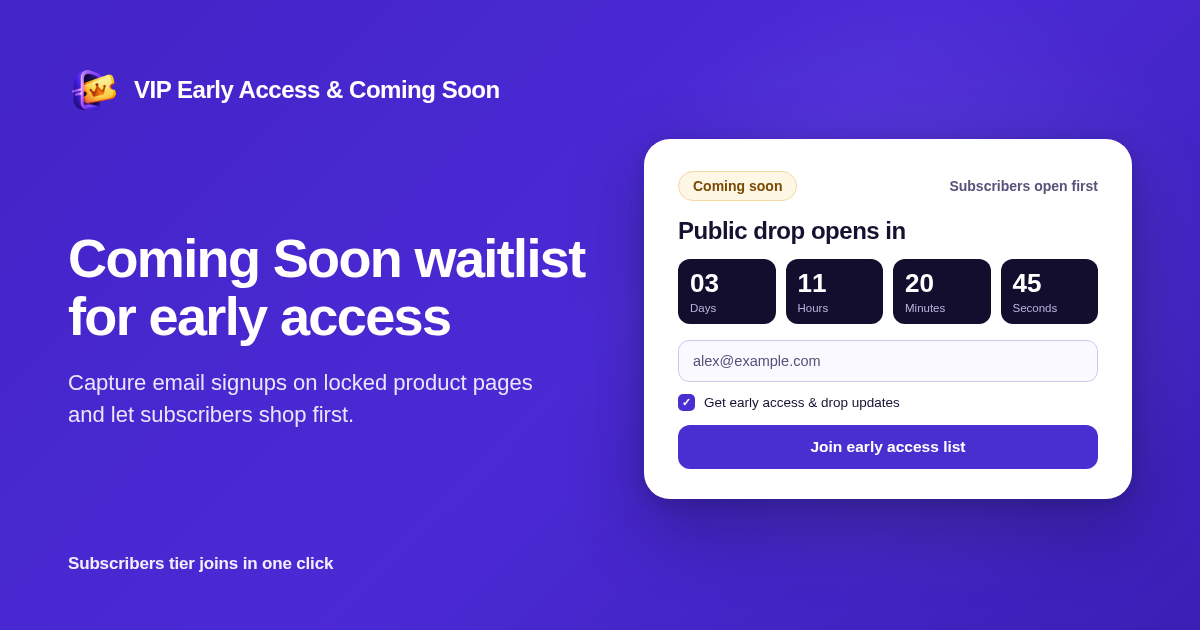
Let interested shoppers join a Coming Soon waitlist right on your product page — and automatically let them buy before the general public when your drop opens.
Most "Coming Soon" Shopify apps stop halfway: they collect an email address on a hidden or out-of-stock product, and then leave you to figure out how to give those subscribers early access without leaking a link or store password to everyone else.
A better workflow connects the waitlist signup directly to your early access launch schedule. Shoppers sign up on the product page while the item is locked, get tagged automatically, and receive an exclusive early buying window before the public sale.
How the waitlist-to-early-access loop works
In VIP Early Access, the waitlist plugs straight into your tier ladder:
- Create a Subscribers tier in one click: on the VIP tiers page, click Create a Subscribers tier. It sets up a tier tied to the
vip-waitlistcustomer tag and sits below your Gold/Silver tiers (or on its own). - Schedule your launch with the Subscribers tier: give Gold/Silver your earliest window if you have them, give Subscribers an opening time ahead of Everyone else, and set your public release time (or leave Everyone else off).
- Shoppers join directly on the product page or VIP page:
- Guests see a clean email signup form with a marketing consent checkbox right inside the Coming Soon panel. Submitting creates/subscribes the customer in Shopify with the
vip-waitlisttag. - Signed-in shoppers who are not in a higher tier see a one-click button to join the early access list, adding the
vip-waitlisttag immediately.
- Guests see a clean email signup form with a marketing consent checkbox right inside the Coming Soon panel. Submitting creates/subscribes the customer in Shopify with the
- Checkout enforces their head start: when the Subscribers window opens, signed-in list members can buy while non-subscribers still see the countdown to the public release.
What shoppers need to know (and how to email them)
- Always remind subscribers to sign in: Shopify only recognizes VIP and waitlist tags when a shopper is signed in to their customer account. The confirmation message on your product page tells them to sign in with the same email when the drop opens.
- Send announcements with your existing email tool: VIP Early Access tags customers in Shopify without storing shopper emails externally, so you keep full ownership of your list. When you are ready to notify subscribers, create a customer segment in Shopify Email or Klaviyo for the tag
vip-waitlist(orVIP tier: Subscribers) and send your drop alert.
Combine with countdowns, limits, and tiers
Because the waitlist uses the exact same launch engine:
- Shoppers see a live countdown to when their access opens.
- You can reward loyal repeat buyers (Gold/Silver by spend or order count) even earlier than waitlist subscribers.
- You can add a per-customer purchase limit (such as 1 or 2 per customer) so subscribers cannot buy out the whole run.
Every feature — including the waitlist, VIP tiers, checkout protection, and countdowns — is included on the Free plan (up to 3 tiers and 2 active launches). Check the pricing page or read How to build VIP tiers on Shopify.
Frequently asked questions
How do shoppers get added to the early access tier?
When a guest submits the Coming Soon form on your product page or VIP page, Shopify tags their customer profile with vip-waitlist (and records their marketing consent). Signed-in customers without a tier can join with one click.
Does the app send the drop announcement emails for me?
No. VIP Early Access tags the customer in Shopify and grants their tier automatically, while keeping shopper emails inside your Shopify store. Use Shopify Email, Klaviyo, or your email app targeting the vip-waitlist tag to notify them.
Can loyal VIPs still get earlier access than waitlist subscribers?
Yes. Place your Gold and Silver tiers above Subscribers in your tier ladder, then give Gold the earliest time, Subscribers the next window, and Everyone else the public launch time.
Do waitlist subscribers need to sign in to buy early?
Yes. Remind shoppers in your email to sign in with the same email address they used to join the waitlist, because Shopify checkout can only recognize tags on signed-in accounts.
Turn Coming Soon product pages into an automated waitlist with tiered early access and checkout protection — free to start.
Install VIP Early Access on Shopify