Three ways to give your best customers a head start on a new product: theme code, a store password and an app. What each one does well, where it breaks, and how to pick.
Early access is easy to promise and surprisingly easy to get wrong. You want your best customers to be able to buy a new product first. Everyone else should wait. And nobody should be able to skip the wait with a link they were sent by a friend.
This guide covers the three ways Shopify merchants usually set up early access, what each one costs you in time and risk, and how an app like VIP Early Access handles the same job.
What early access has to do
Whatever method you choose, a good early access setup does four things:
- It recognises a VIP. The store has to know who the customer is, which means they must be signed in to a customer account.
- It opens at a set time. VIPs buy at one moment and everyone else at a later one, without you being awake to flip a switch.
- It holds at checkout. If the lock only lives on the product page, a copied cart link walks around it.
- It tells people what is going on. A customer who cannot buy yet should see when they can, not a dead button.
Option 1: a customer tag and theme code
The most common do-it-yourself route is to tag your VIPs in Shopify (for example, vip) and add Liquid code to the product template. The code checks whether the signed-in customer has the tag. If they do, Add to cart works. If not, the button is hidden or disabled.
What it does well
- It costs nothing beyond developer time.
- You control every word and pixel of the message.
- It works with the tags you already use.
Where it breaks
- It is a front-end rule only. A Shopify cart can be filled from a link, and your theme does not run at checkout, so a shared link can still buy the product.
- The opening time is manual unless you write more code. Many stores edit the template at drop time, which means being online at the exact minute.
- A theme update or a theme change can quietly remove your snippet.
- Someone has to decide who gets the tag, and keep doing it.
Option 2: the storefront password page
Shopify lets you put a password on the whole online store. It is built for a store that is not open yet, and it can look like a natural early access tool: share the password with your VIPs and ask everyone else to wait.
- In its favour: there is nothing to install, and it takes a minute to turn on.
- Against: the lock covers the whole store, not one product. While it is on, nobody without the password can shop anything, including your regular catalogue.
- Against: the password is shared. Anyone you send it to can pass it on, and you cannot tell your customers apart.
- Against: it has no idea who is a VIP, so there are no tiers and you cannot let Gold in before Silver.
- Against: you open the store yourself, by hand, at the right moment.
It is a sensible choice for a brand-new store before launch. For one drop in a store that is already trading, it is a blunt tool. We go into that in Lock one product, not your whole store.
Option 3: an app
An app can do the three jobs the other options leave to you: it knows who is a VIP, it opens on a schedule, and it can enforce the rule at checkout. The trade-off is that you rely on another piece of software and, for most apps, pay a monthly fee.
Before you install one, check three things. Does it enforce the rule at checkout, or only on the product page? Does it build the VIP list from your own customer data? Does it show shoppers what is happening, or just block them?
Which one should you pick?
A single, small test with a developer on hand: theme code. A store that is not open yet: the password page. Repeated drops, or any drop where a shared link would cost you sales: an app.
How VIP Early Access does it
VIP Early Access is built around two ideas, launches and tiers.
- A launch is a set of products, or whole collections, with a schedule. You choose which products to lock and when each group can buy.
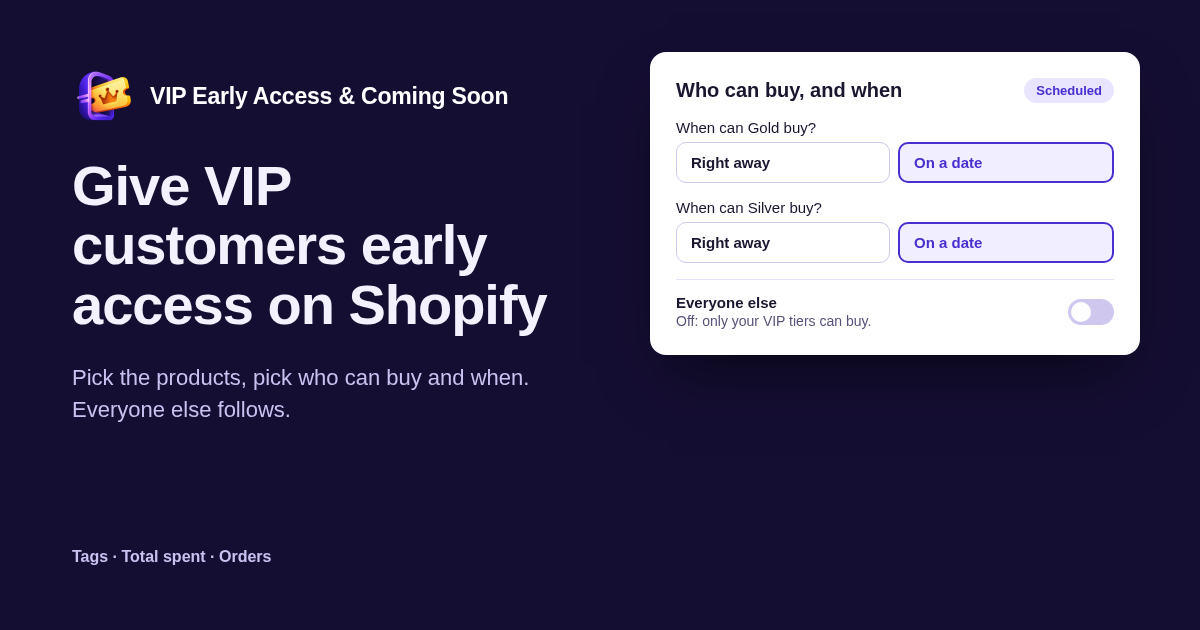
- A tier is a group of customers, such as Gold and Silver. A customer lands in a tier from a customer tag, total spent, or number of orders.
- Each tier gets its own date and time. Gold can open on Friday morning, Silver that evening, and everyone else on Saturday. Turn everyone else off and the launch is VIP-only.
- The lock covers the products in the launch. The rest of your store keeps selling as normal.
- On the product page, an app embed shows each shopper a panel with a countdown and keeps Add to cart disabled until their group can buy.
- At checkout, a checkout rule compares the signed-in customer's tier with the launch. A guest, or a customer whose tier is not open, sees a message such as: "This product is reserved for VIP members. If you are one, sign in to your account to buy it."
- A VIP page on your store lists upcoming launches for signed-in members.
You can read how tiers are built in How to build VIP tiers on Shopify, and how the schedule works in How long should VIP early access last?.
One requirement
A shopper is recognised as VIP only when signed in to their customer account. A guest who types a VIP's email address at checkout is still a guest, so customer accounts must be turned on in your store. The checkout rule works on every Shopify plan except Starter, and Point of Sale is not covered.
Set up your first launch
- Install the app and turn on its app embed in the theme editor. Shopify keeps app embeds off until you switch them on.
- Look at your tiers. The app starts you with Gold and Silver, based on the number of orders. Change the rules, or add more tiers.
- Create a launch, pick the products or collections, and choose when each tier and everyone else can buy.
- Schedule the launch. Until you do, it is a draft and nothing changes in your store.
- Send your VIPs the link to your VIP page so they know where to look.
There is a free plan, and every feature is available on every plan. Paid plans raise the limits. See the pricing page for the details.
Frequently asked questions
Do VIP customers need an account?
Yes. Any method that recognises a VIP needs the customer to be signed in, because Shopify only knows who someone is once they log in. Turn on customer accounts in your store before you schedule a launch.
Can I use tags from my loyalty app?
Yes. Any Shopify customer tag can define a tier, including tags that a loyalty app writes.
Does it cover express checkouts?
Yes. Shop Pay and other express checkouts are checked too. Point of Sale is not covered.
Can early access be for VIPs only, with no public sale?
Yes. Leave Everyone else switched off and the launch is VIP-only. It keeps running until you end it or until the end time you set.
Launch your first VIP early access drop on Shopify with checkout protection and countdowns — free to start.
Install VIP Early Access on Shopify