
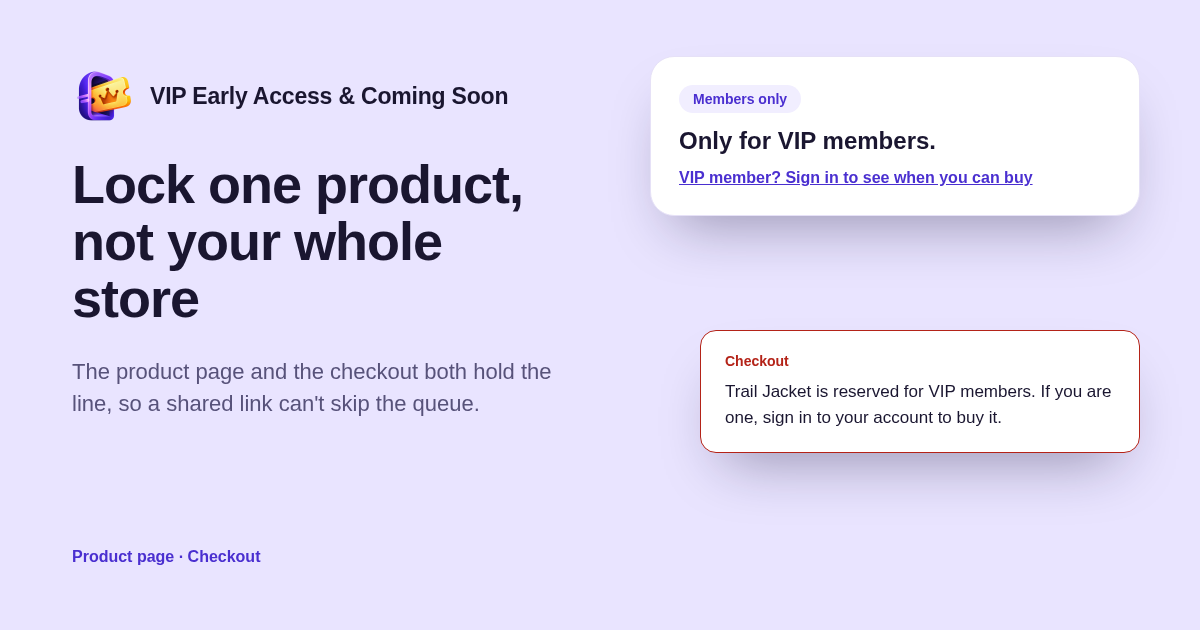
A store-wide password is a blunt tool for one drop. Gate only the product you are launching, and make the checkout hold the line when a link gets shared.
When a merchant wants to hold back a new product for a few hours, the first idea is often the storefront password. It is built into Shopify, it takes a minute, and it certainly keeps people out. That is also the problem. It keeps everyone out of everything.
This article explains why a store-wide lock is the wrong size for a product drop, what a per-product lock looks like, and why the checkout has to be part of it.
What a store-wide password really does
The storefront password puts a gate in front of your whole online store. Visitors see a password page until they enter the password. It was designed for a store that is being built or has not launched yet.
Used for a drop in a store that is already selling, it creates side effects that are easy to miss:
- Your regular customers cannot buy your regular products while the password is on.
- Everyone with the password is treated the same. You cannot let Gold in before Silver, and you cannot tell who passed it along.
- You have to turn it off yourself at the right moment, by hand.
- A password is just a word. Once it is in a group chat, it is public.
If your store is not open yet, none of this matters. For a drop inside a running store, you want a smaller gate.
Lock the product, leave the store open
A per-product lock does the opposite. Only the products in the launch are held back. The rest of your catalogue keeps selling, your search and collections keep working, and customers who are not interested in the drop never notice it.
In VIP Early Access, scheduling a launch locks every product in it. Only the groups whose time has come can buy those products. Other products are not touched. When the launch ends, the lock is removed from every product.
Why the product page alone is not enough
Hiding a button is a courtesy, not a lock. A cart can be filled from a link, and your theme does not run inside checkout. If the only protection is on the product page, a link shared in a group chat goes straight to the cart.
That is why the app has two layers:
- The product page. An app embed disables Add to cart for shoppers who cannot buy yet and shows them a panel with a countdown. This is guidance. It keeps honest customers from clicking a button that would fail.
- The checkout. A checkout rule checks every cart. A gated product can only be bought by a signed-in customer whose tier is open now. A shared link cannot change that.
What is covered
The checkout rule covers online store checkout, express checkouts such as Shop Pay, and draft orders created by your staff. Point of Sale is not covered. The rule is available on every Shopify plan except Starter.
What shoppers see
A lock that gives no explanation feels like a bug. The panel and the checkout messages are written to say what is going on without promising something that cannot help.
On the product page
- A guest sees an on sale date and a countdown, or "Only for VIP members" if the launch never opens to everyone, with a sign-in button.
- A signed-in VIP whose tier opens later sees when they can buy and a countdown to that moment.
- A signed-in VIP whose tier is open sees that they are in and can buy now.
- Another signed-in customer sees that Add to cart unlocks when the timer reaches zero.
At checkout
The message depends on who is buying, so a guest is only asked to sign in when signing in could help:
- A guest while some tier can buy: the product is reserved for VIP members, and if you are one, sign in to your account to buy it.
- A guest while no tier can buy yet: the product is not available yet.
- A signed-in customer in a tier that opens later: the product is not available to your account yet.
- A signed-in customer in no tier of a VIP-only launch: the product is only available to members.
Customers can only be recognised when they are signed in to their account, so a guest who types a VIP's email address at checkout is still treated as a guest.
When a password page is still right
Be fair to the simple option. If your store has not opened, or you are rebuilding the theme and want visitors out, the password page does exactly that. It is a good tool for that job. A product drop is a different job.
For the options side by side, see How to give VIP customers early access on Shopify. For the steps of a full launch, see The product drop checklist for Shopify stores.
Try it on one product
- Install the app and turn on its app embed in your theme.
- Create a launch with one product, or one collection.
- Pick who can buy and when, and schedule it.
- Open the product in a private browser window, signed out, and look at what a guest sees.
The pricing page lists the free plan and the paid ones.
Frequently asked questions
Does a store-wide password block my other products?
Yes. The storefront password covers the whole online store, so nobody without it can buy anything while it is on. A per-product lock only holds back the products in the launch.
Can someone skip the line with a direct link to checkout?
No. The checkout rule checks every cart, including a cart filled from a shared link. Only a signed-in customer in an open tier can buy a locked product.
Is Point of Sale covered?
No. The checkout rule covers online store checkout, express checkouts and draft orders. Point of Sale orders are not checked.
What happens to the lock when the launch ends?
The lock is removed from every product in the launch, so anyone can buy them as with any other product in your store.
Gate just the products in your drop — keep the rest of your store open while Shopify checkout validation enforces the line.
Install VIP Early Access on Shopify