When demand outstrips inventory, a first-come rush rewards bots and fast connections instead of real customers. Here is how to run a fair product raffle directly on your Shopify product page without spreadsheets or manual draft orders.
Limited sneakers, trading card allocations, rare bottles, and small-batch art prints all hit the same problem on Shopify: if 500 people want 30 units at 10:00 sharp, opening the cart to everyone at once turns into a checkout race. Customers refresh frantically, bots grab multiple carts, and your inbox fills up within five minutes.
A product raffle (or draw) solves that by separating interest from checkout. Instead of rewarding who clicks fastest at one second past ten, you open an entry window, collect entries on the product page, draw winners once entries close, and let only those winners check out during their buying window.
Why spreadsheets and manual forms break down
Many Shopify stores start by embedding a Google Form or Typeform on a landing page, exporting responses to a spreadsheet, picking random rows, and emailing discount codes or creating draft orders by hand. That breaks in three predictable ways:
- Shared discount codes leak: one winner posts a code or private URL in a Discord server and non-winners check out before you notice.
- Duplicate entries waste hours: people submit five emails under slight variations, leaving your team to deduplicate rows before every draw.
- Draft orders don't scale: creating 50 or 100 draft orders manually after every drop slows fulfillment and introduces typos.
How a native Shopify raffle workflow works
With VIP Early Access, a raffle lives inside the same launch schedule as your product drop — no external form or code edits required:
- Choose your launch products and schedule: pick the products or collection, set when entries open (or start them right away on schedule), when entries close, and how many winners to draw.
- Set the winners' buying window: choose when winners can buy — at least 15 minutes after entries close so every winner's pass is synced before checkout opens. You can follow it with a public release for remaining stock, or leave Everyone else off for a winners-only drop.
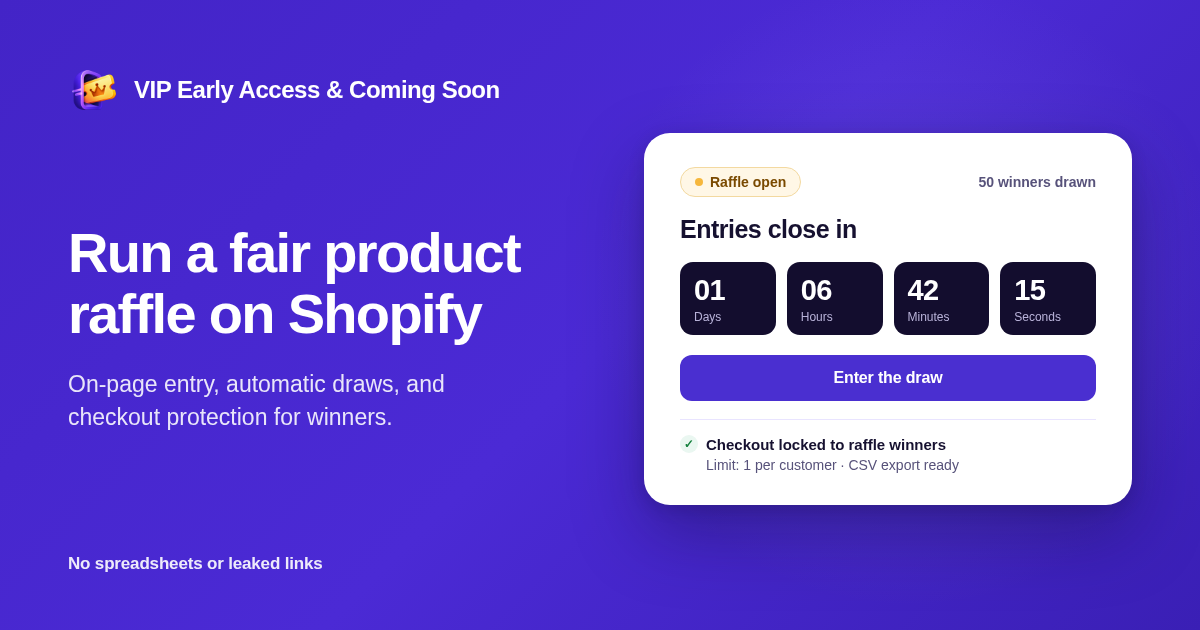
- Customers enter on the product page: signed-in shoppers see an Enter the draw form and countdown right above the buy controls. Guests are prompted to sign in so every entry maps to a real Shopify customer account.
- Automatic draw and pass assignment: when entries close, the app runs a deterministic draw (you can also click Draw now after entries close) and assigns an access pass directly to each winner's customer record.
- Checkout enforcement holds the line: Shopify's native Cart and Checkout Validation checks every cart. Non-winners and guests cannot check out even if they share a direct product link or use Shop Pay.
- Combine with a per-customer limit: add a limit of 1 per customer on the same launch so each winner can buy only one unit.
Telling winners when they can buy
Because VIP Early Access does not store shopper email addresses, it does not send marketing emails itself. Instead:
- Signed-in winners see "You won" and a countdown to their buying window directly on the product page and on your store's VIP page.
- From the launch screen in your Shopify admin, click Export CSV to download the full winners list (customer ID, name, email, and entry timestamp) and send a quick announcement through Shopify Email, Klaviyo, or your usual newsletter tool.
Combining VIP tiers and a raffle
You can include your Gold or Silver tiers in the same launch as a raffle. Customers whose tier already grants early access buy during their tier window without entering the draw; everyone else sees the raffle entry panel.
Fair draw and plan limits
Every raffle is available on every plan, including Free:
- Free: up to 500 entries per raffle
- Growth: up to 5,000 entries per raffle
- Scale: unlimited entries
If entries reach your plan cap before closing time, the product page cleanly shows that entries are closed rather than dropping anyone silently. See the pricing page for all plan limits, and read the product drop checklist to plan the rest of your release.
Frequently asked questions
Do customers enter the raffle directly on my Shopify store?
Yes. Customers sign in to their Shopify account and submit their entry directly on the product page (and can check their status on the product page or VIP page). No Google Form or external page is needed.
Can someone who did not win still buy with a direct link?
No. Only signed-in customers who hold a winner access pass (or belong to an open VIP tier) pass Shopify's checkout validation rule. Note that checkout validation is supported on every Shopify plan except Starter, and does not run on Point of Sale.
How do I notify raffle winners?
VIP Early Access records who won on their customer account and lets you export the winners list as a CSV file (with customer ID, name, and email) so you can email them via Shopify Email or Klaviyo. Winners also see their status and countdown on the product page when signed in.
Can I limit winners to 1 unit per customer?
Yes. You can enable a per-customer purchase limit (from 1 to 999) on the same launch. For signed-in shoppers, the limit checks both the current cart and earlier orders in that launch.
Run fair product raffles on Shopify with on-page entry, automatic draws, CSV winner export, and checkout protection — included on the Free plan.
Install VIP Early Access on Shopify